
Aura - Document Extractor
Aura is an advanced artificial intelligence tool designed to optimize document management. It allows you to extract structured data, identify key fields (such as amounts, dates, or suppliers), convert scanned documents into editable formats, and organize all your information in one place. Perfect for finance, human resources, and departments requiring automation in document processing.

Aura: More Powerful Than Ever
Aura remains a powerful document extractor, but now offers enhanced capabilities with two specialized chatbot types that provide high precision in document processing.
Documentary Chatbot
Ideal for common and general-use documents:
- •Legal documents
- •Meeting minutes
- •Letters and correspondence
- •General reports
- •Standard contracts
Structured Chatbot
Specifically designed for accounting documents and defined formats:
- •Financial statements
- •Invoices and receipts
- •Accounting balances
- •Structured reports
- •Predefined forms
Interact with multiple formats:
Key Features
Everything you can do with Aura
Automatic Extraction
Upload ZIP files and automatically obtain key data based on predefined templates.
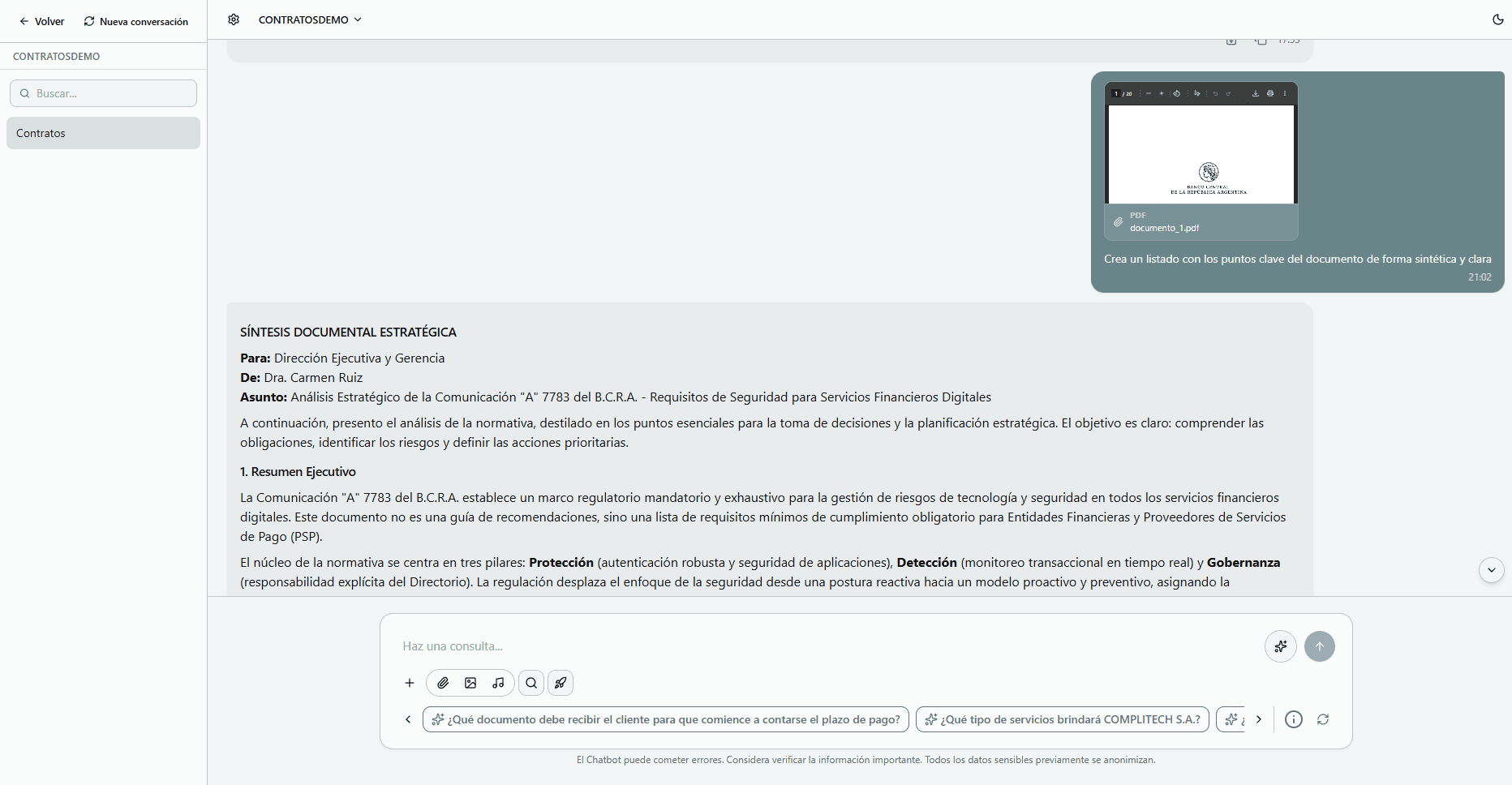
Smart Chatbot
Train the chatbot with your documents and ask questions in natural language.
Document Manager
Save, organize, and easily access all files you've used or uploaded.
How to Use Aura
Automate document processing in just a few steps
Create Your Custom Configuration
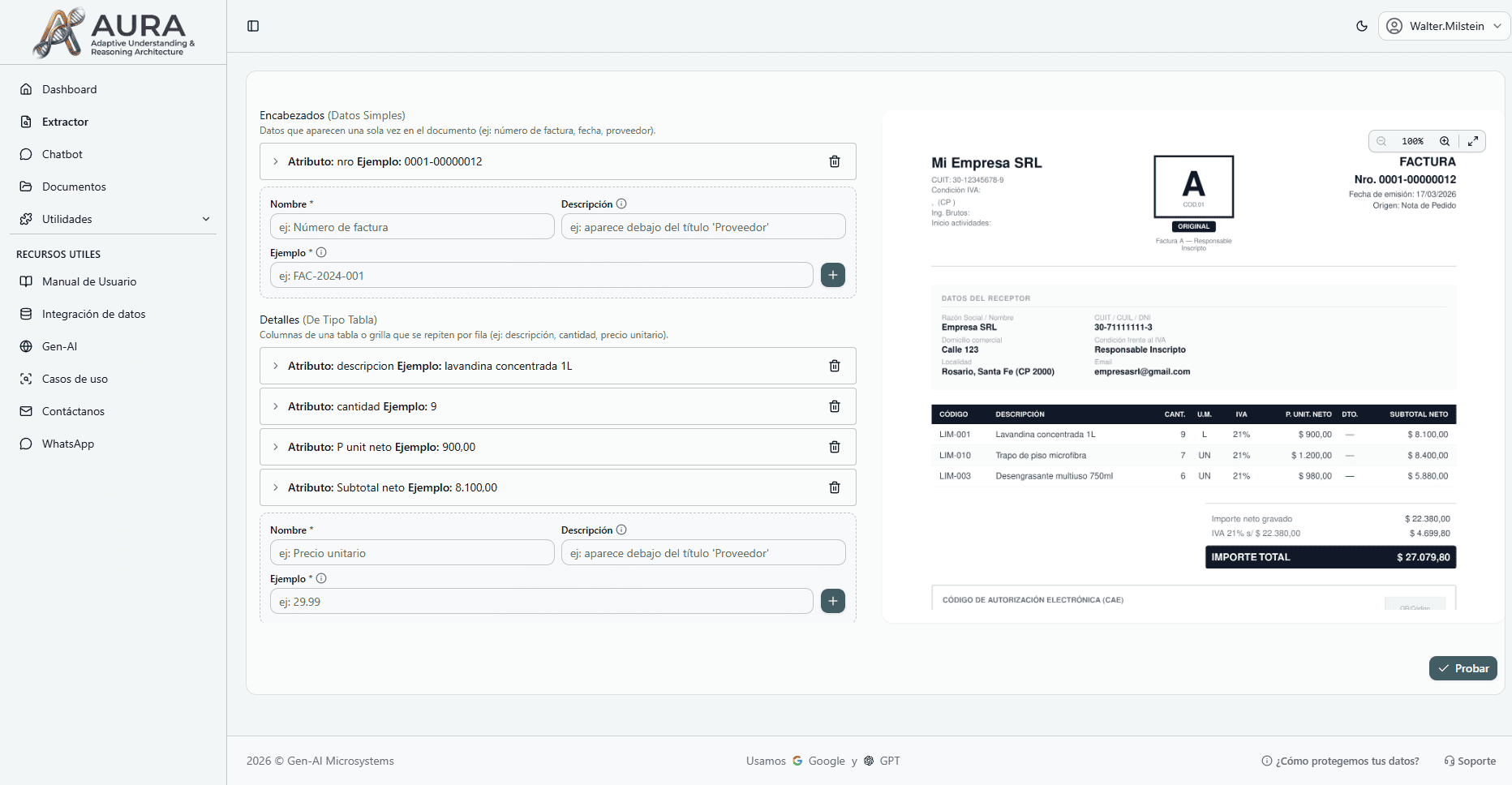
- 1Upload a sample document with the format you want to process.
- 2Select the key fields you want to extract (such as amount, date, or supplier).
- 3Train and save the configuration with a descriptive name to reuse it anytime.
Run Mass Extraction
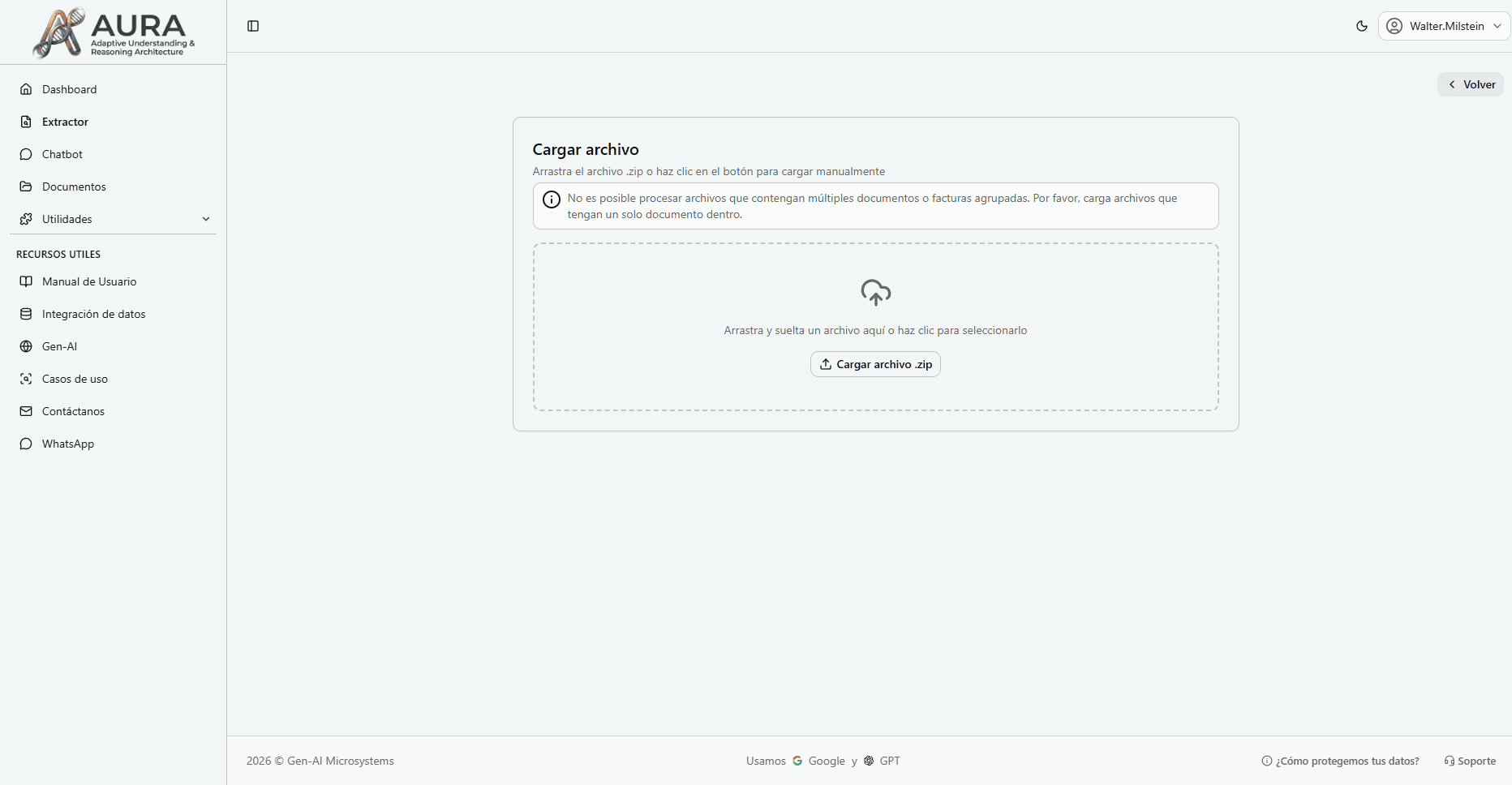
- 1Select the saved configuration.
- 2Upload a ZIP file containing multiple documents of the same type.
- 3Click 'Run' and let Aura process all files automatically.
Review and Download Results
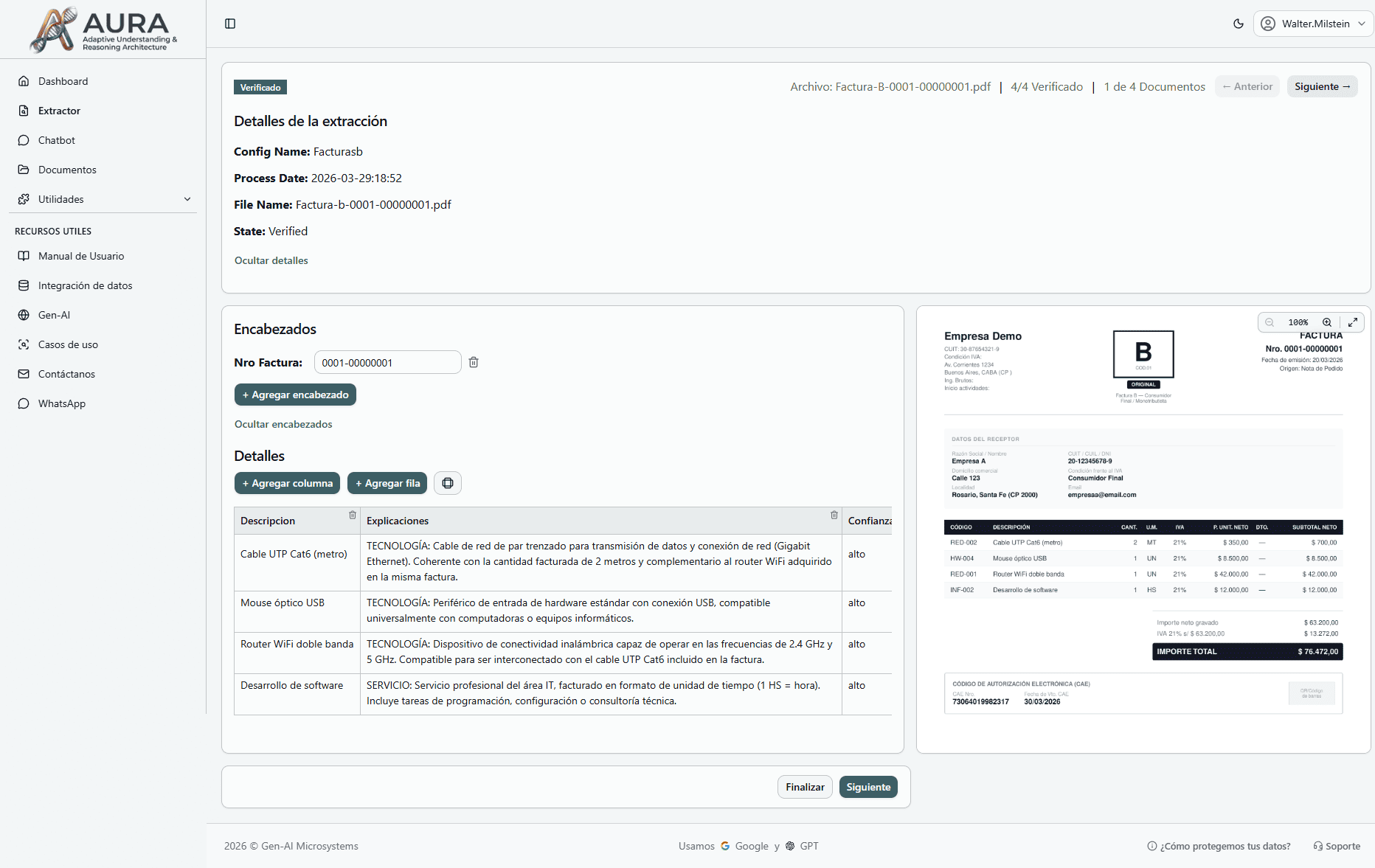
- 1Once the process is complete, access the results from the corresponding section.
- 2Manually review and correct any data if necessary.
- 3Download the extracted data in CSV, Excel, or JSON format to use in other systems.
Advanced Chatbot Capabilities
Audit Documents
Perform detailed audits and document integrity verifications
Compare Documents
Analyze differences and similarities between multiple files
Summarize Information
Extract key points from extensive documents
Draft Texts
Generate new documents based on extracted information
Translate Documents
Convert complete content or fragments to other languages
How to use the chatbot
Configure, train and start interacting in minutes
Create and train your chat
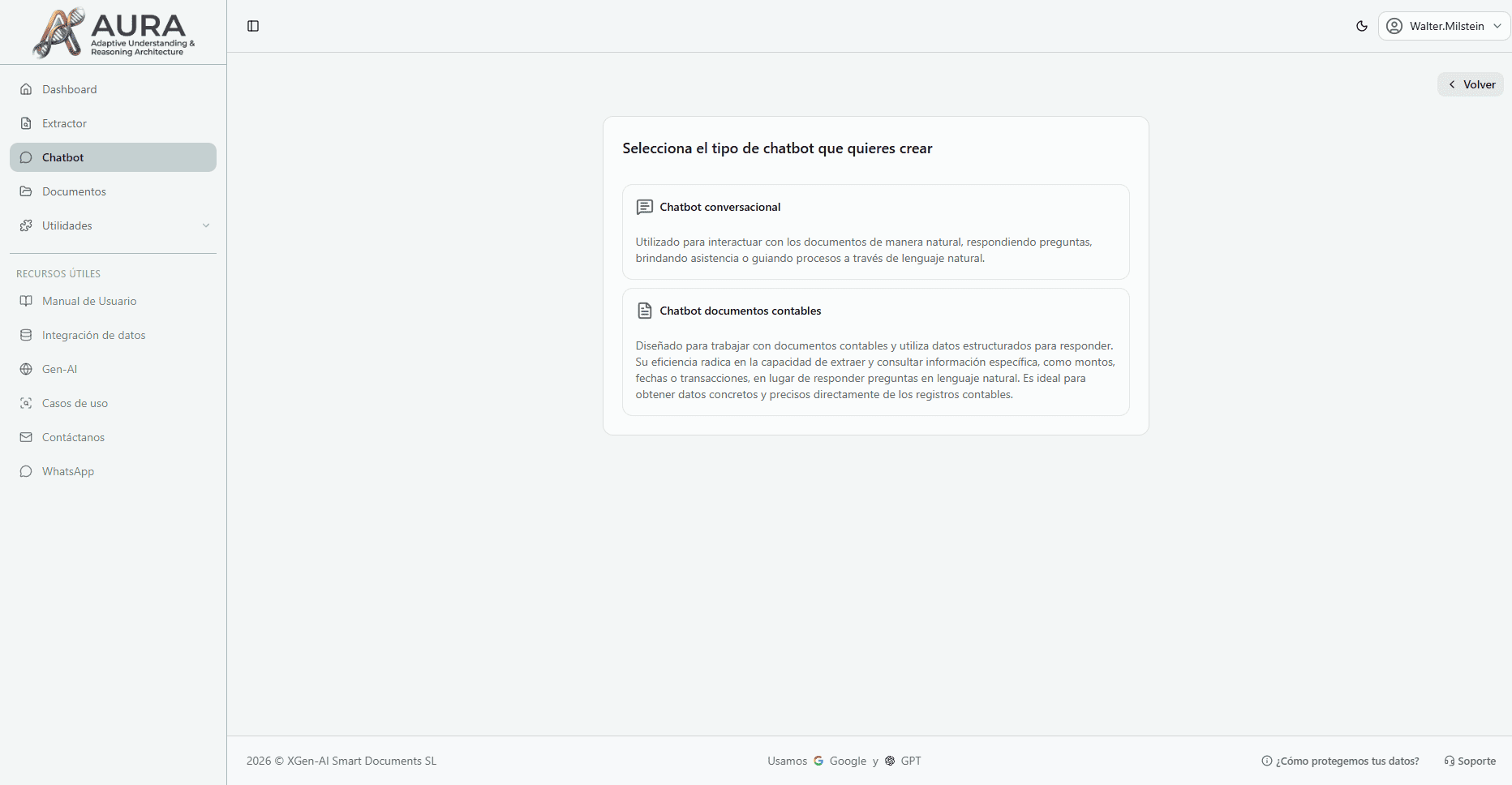
- 1Upload one or more documents related to the chat's topic.
- 2Select the document type in configuration: Common (legal, letters, minutes) or Structured (accounting, forms, financial reports).
- 3Name your chat descriptively and save it for later use.
Interact with your chat
- 1Enter the chat from the list of saved ones.
- 2Ask questions about the uploaded documents using natural language.
- 3Request specific actions like summaries, translations, or comparisons.
- 4Interact with PDF documents, images and audio files.
Use AI-Generated Suggested Questions
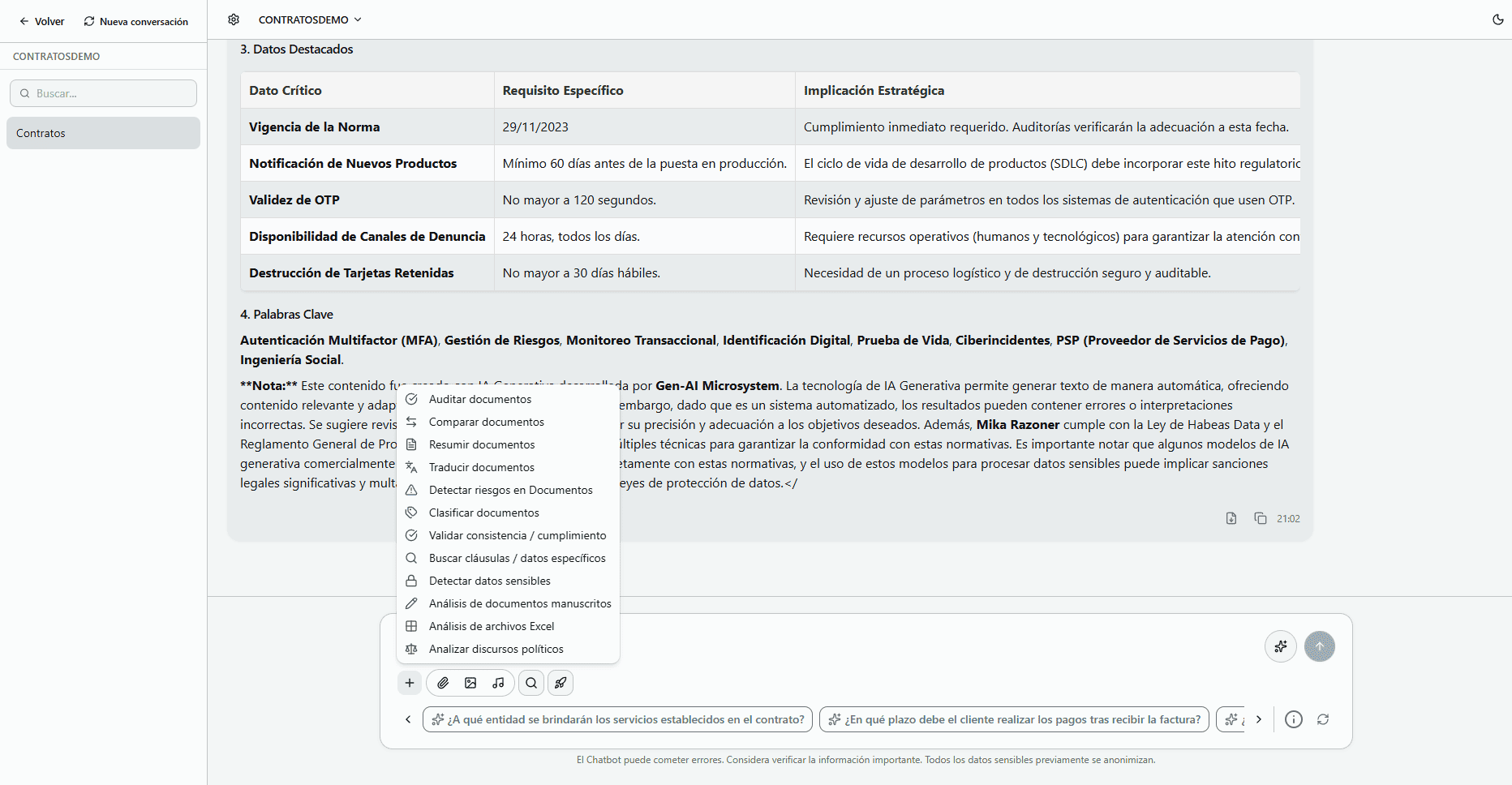
- 1When opening a chat, Aura analyzes the uploaded documents and automatically generates relevant questions.
- 2Click any suggested question to start the conversation without typing anything.
- 3Suggestions update based on the conversation context and available documents.
Smart Precision Enhancement
Thanks to the previous document type configuration, we can significantly improve chat accuracy by adapting responses to the specific format and context of your files.
Advanced File Management
Organize and find your documents intelligently
Smart Filtering
Now you can filter your files more efficiently:
- Configuration files
- Chatbot files
- Processed documents
- Unprocessed files
Advanced AI Search
Locate documents using artificial intelligence:
- Content-based search
- Metadata search
- Semantic document analysis
- Automatic classification
Extraction Accuracy Indicator
Each extraction now shows an accuracy percentage to measure the system's confidence in the obtained data.
Accuracy Percentage
Confidence Measure
Use Cases
Ready to start using Aura?
Purchase the document extractor with built-in smart chatbot now.
Aura - Document Extractor
Aura is an advanced artificial intelligence tool designed to optimize document management. It allows you to extract structured data, identify key fields (such as amounts, dates, or suppliers), convert scanned documents into editable formats, and organize all your information in one place. Perfect for finance, human resources, and departments requiring automation in document processing.
Boost your productivity up to 10x!
Transform hours of manual work into minutes of automated processing. Aura adapts to any document type and scales with your business.
Key Features
- Automatic Extraction
- Smart Chatbot
- Document Manager
Guaranteed Benefits
- 80% reduction in processing time
- Higher precision in data extraction
- Specialized technical support included
- Automatic updates and continuous improvements
Start automating your processes today!
Get StartedPersonalized consultation included • Satisfaction guarantee